Creativity vs Functionality: The Art of Balanced Design (2025)
How to create visually stunning designs that deliver exceptional user experiences and drive business results.
Insights
Dec 11, 2025
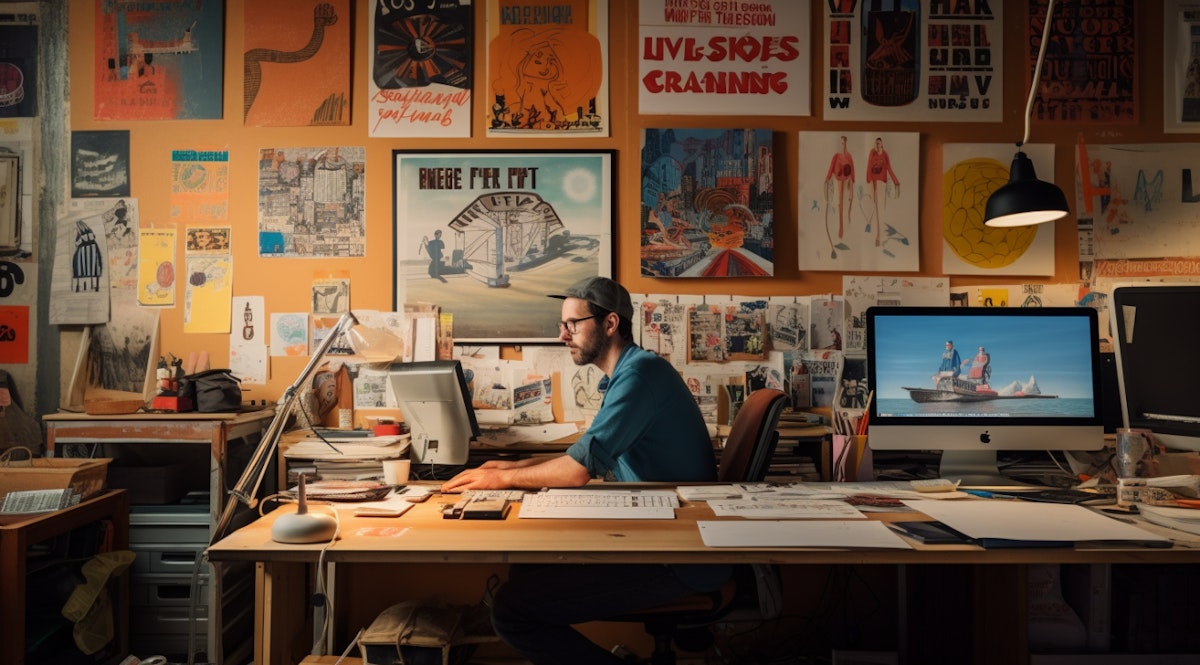
The age-old debate: Should design prioritize beauty or usability? The answer isn't either/or—it's both. Research shows that 75% of users judge credibility based on aesthetics, yet 88% won't return after a bad user experience.
Great design doesn't sacrifice function for form or vice versa. It harmonizes creativity with functionality to create experiences that are both beautiful and intuitive.
This guide reveals how to master the balance between visual innovation and practical usability, ensuring your designs delight users while achieving business goals.
The Essence of Creativity in Design
Why Creative Design Matters
Creative design isn't about being "artistic" for its own sake—it's a strategic tool that:
Captures attention in crowded markets (first impressions form in 50 milliseconds)
Builds emotional connections that drive brand loyalty
Communicates brand personality before users read a word
Differentiates from competitors using generic templates
Increases perceived value (aesthetic designs appear more valuable)
The impact: Companies with strong design see 219% higher stock market returns over 10 years compared to the S&P 500 (McKinsey Design Index).
What Is Creative Design?
Creative design goes beyond following templates—it involves:
Original thinking:
Unique visual solutions to design problems
Fresh perspectives on familiar challenges
Unexpected combinations that work
Emotional resonance:
Colors that evoke specific feelings
Typography that reflects brand personality
Imagery that tells compelling stories
Visual innovation:
Modern layouts that break conventions thoughtfully
Creative use of whitespace and composition
Dynamic interactions that engage users
Brand differentiation:
Distinctive visual language
Memorable design elements
Instantly recognizable signature style
Elements of Creative Excellence
Innovative Layouts
Break the grid (intentionally):
Traditional grid-based layouts are safe but predictable. Creative layouts:
Use asymmetry to create visual interest
Overlap elements for depth and dimension
Apply diagonal lines for dynamic energy
Create custom grid systems for unique brands
Examples:
Apple: Massive product imagery with generous whitespace
Stripe: Diagonal gradients and geometric patterns
Awwwards winners: Experimental scrolling and parallax effects
Rule: Break conventions only when they enhance usability, not just for novelty.
Bold Typography
Typography as hero element:
Type doesn't have to be invisible—it can be the star:
Large, impactful headlines (60px-120px+)
Expressive display fonts for brand personality
Creative text treatments (gradients, outlines, shadows)
Kinetic typography (subtle motion and animation)
Examples:
Mailchimp: Playful, quirky custom typeface
Medium: Beautiful serif reading experience
Nike: Bold, confident all-caps statements
Balance: Decorative type for headlines, readable fonts for body text.
Color Innovation
Beyond safe palettes:
Creative color use differentiates brands:
Unexpected combinations (purple + orange for FedEx)
Vibrant gradients (Instagram's sunset-inspired palette)
Monochromatic schemes (Spotify's green variations)
Dark mode mastery (Apple's refined dark interfaces)
Color psychology in action:
Airbnb coral: Warmth and belonging
Slack purple: Creativity and collaboration
Notion beige: Calm and focus
Discord blurple: Playful and modern
Visual Storytelling
Images that communicate:
Creative imagery goes beyond stock photos:
Custom illustrations that reflect brand personality
3D elements adding depth and modernity
Photography with purpose (not decorative filler)
Visual metaphors that simplify complex ideas
Examples:
Dropbox: Playful 3D illustrations
Headspace: Calming animated characters
Asana: Colorful, optimistic imagery
Creative Trends Worth Embracing
2025 design trends that work:
Glassmorphism:
Frosted glass effect with blur
Creates depth and hierarchy
Works beautifully in dark mode
Use for: Cards, modals, navigation overlays
3D and Immersive Design:
Tactile, dimensional elements
Subtle 3D transforms on hover
Depth without overwhelming
Use for: Product showcases, hero sections
Bold Minimalism:
Large type, generous whitespace
Limited color palette
Focus on essential elements
Use for: Landing pages, portfolios
Micro-animations:
Subtle hover states
Loading sequences
Scroll-triggered animations
Use for: Engagement and delight
Dark Mode Excellence:
Not just inverted colors
Thoughtful contrast adjustments
OLED-optimized blacks
Use for: Modern apps and websites
Avoid these trendy mistakes:
❌ Neumorphism (poor accessibility, dated quickly)
❌ Excessive parallax (motion sickness, slow performance)
❌ Auto-playing videos (annoying, bandwidth-heavy)
❌ Overly complex animations (distract from content)
The Role of Functionality
Why Functionality Is Non-Negotiable
Beautiful but broken = failure. No amount of visual polish compensates for poor usability.
The cost of poor functionality:
88% of users won't return after a bad experience
52% of users say slow loading affects loyalty
67% of cart abandonment is due to complicated checkout
$62 billion is lost annually due to poor customer experience
Functionality means:
Fast loading (under 3 seconds)
Intuitive navigation
Clear calls-to-action
Accessible to all users
Works on all devices
Accomplishes user goals efficiently
Core Functional Principles
Performance Optimization
Speed is a feature, not a luxury:
Target metrics:
Page load: Under 3 seconds
Time to interact: Under 5 seconds
First contentful paint: Under 1.8 seconds
Core Web Vitals: All green scores
How to achieve:
Optimize images (WebP format, lazy loading)
Minimize CSS/JavaScript
Use CDN for static assets
Implement caching strategies
Compress resources with Gzip/Brotli
Tools: Google PageSpeed Insights, Lighthouse, GTmetrix
Real impact: Amazon found that every 100ms delay costs 1% in revenue.
Intuitive Navigation
Users should never wonder where to go next:
Navigation best practices:
Clear hierarchy:
Primary navigation (5-7 main items maximum)
Secondary navigation (dropdowns or separate section)
Footer navigation (sitemap and utility links)
Expected locations:
Logo top-left (links to homepage)
Main menu top-right or center
Search in header (if applicable)
Mobile menu: hamburger or bottom nav
Descriptive labels:
✅ "Our Services" not "What We Do."
✅ "Contact Us" not "Get in Touch."
✅ "Pricing" not "Pla."
Avoid clever jargon that confuses
Breadcrumbs for deep sites:
Show location in hierarchy
Enable easy backtracking
Improve SEO
Mobile Responsiveness
Mobile-first is mandatory:
58% of web traffic is mobile—design for small screens first.
Mobile optimization:
Touch-friendly targets:
Minimum 44x44px for tap areas
Adequate spacing between clickable elements
Larger form fields for easy input
Readable without zoom:
16px minimum body text
Adequate line height (1.5+)
Sufficient contrast (4.5:1)
Simplified navigation:
Hamburger menu or bottom nav bar
Collapsible sections for long pages
Sticky CTAs for conversion
Performance:
Lighter images for mobile
Fewer elements are loading initially
Progressive enhancement approach
Test on real devices:
iOS (Safari)
Android (Chrome)
Different screen sizes
Slow connections (throttle to 3G)
Accessibility Standards
Design for everyone:
15% of the population has disabilities—accessible design isn't optional.
WCAG 2.1 compliance basics:
Visual accessibility:
4.5:1 contrast ratio minimum
Don't rely on color alone
Scalable text (supports 200% zoom)
Clear focus indicators
Keyboard navigation:
All functions are available via keyboard
Logical tab order
Skip navigation link
No keyboard traps
Screen reader support:
Semantic HTML (proper headings)
Alt text for all images
ARIA labels where needed
Form labels are clearly associated
Cognitive accessibility:
Clear, simple language
Predictable navigation
Error prevention and recovery
Adequate time for interactions
Test with:
WAVE accessibility checker
axe DevTools browser extension
Screen readers (NVDA, VoiceOver)
Keyboard-only navigation
Clear Calls-to-Action
Every page needs clear next steps:
CTA best practices:
Visibility:
High contrast against the background
Adequate size (48px height, minimum mobile)
Positioned prominently (above fold)
Whitespace around for emphasis
Copy:
Action-oriented verbs ("Start Free Trial," not "Learn More")
Specific benefit ("Get 50% Off" not "Click Here")
First-person ("Start My Free Trial" not "Start Free Trial")
Urgency when appropriate ("Limited Spots Available")
Hierarchy:
One primary CTA per section
Secondary actions are less prominent
Tertiary actions minimal styling
Testing:
A/B test button colors
Test copy variations
Monitor click-through rates
Optimize based on data
Measuring Functionality
Key usability metrics:
Task success rate:
Can users complete intended actions?
Target: 80%+ success rate
Tool: Moderated usability testing
Time on task:
How long to complete actions?
Compare against benchmarks
Tool: User testing sessions
Error rate:
How many mistakes are made during use?
Are errors easily recoverable?
Tool: Analytics + user testing
System Usability Scale (SUS):
10-question survey measuring usability
Score above 68 = above average
Tool: Free SUS calculator
Net Promoter Score (NPS):
"How likely to recommend?" (0-10)
Score above 50 = excellent
Tool: Simple survey after key interactions

The Interplay and Importance of Balance
Why Balance Is the Secret
Neither pure art nor pure utility succeeds. The magic happens in the middle—where visual appeal enhances function and functionality enables creativity.
The sweet spot:
Aesthetics that serve usability
Functionality presented beautifully
Form and function reinforce each other
The Balance Spectrum
Where projects fall:
Pure Creativity ←———— Balance ————→ Pure Functionality

Art Portfolios        E-commerce         Banking Apps
Fashion Sites         SaaS Products      Medical Systems
Experimental          Most Websites      Enterprise Tools
Finding your position:
Left (creativity-leaning): Brands, portfolios, marketing sites
Center (balanced): E-commerce, SaaS, most business sites
Right (function-leaning): Financial, healthcare, enterprise tools
All need both—just different ratios.
Achieving Harmony
When Aesthetics Enhance Function
Beauty serving purpose:
Visual hierarchy guides attention:
Large, bold headlines (know where to look first)
Color draws eyes to CTAs (increases conversions)
Whitespace creates breathing room (improves comprehension by 20%)
Example: Apple product pages
Stunning imagery showcases product quality
Minimal text reduces cognitive load
Clear CTAs guide to purchase
Fast loading maintains the experience
Emotional design improves usability:
Friendly illustrations reduce anxiety
Smooth animations provide feedback
Delightful micro-interactions increase engagement
Beautiful interfaces feel more intuitive (aesthetic-usability effect)
Example: Headspace meditation app
Calming colors reduce stress
Playful animations make meditation approachable
Clear instructions guide practice
Beautiful design encourages regular use
When Functionality Enables Creativity
Structure supporting innovation:
Design systems enable consistency:
Component libraries speed up design
Freed time allows creative exploration
Standards ensure usability is maintained
Innovation happens within frameworks
Example: Airbnb Design System
Robust components ensure accessibility
Designers focus on unique experiences
Consistency across the global platform
Room for creative storytelling
Performance constraints drive creativity:
Limited file sizes = creative optimization
Mobile-first = prioritization of essentials
Accessibility = inclusive creativity
Example: Google's Material Design
The paper metaphor provides a creative framework
Motion principles guide animations
Color system ensures accessibility
Creativity within purposeful boundaries
Practical Balancing Strategies
The 80/20 Rule for Design
80% conventional, 20% creative:
The 80% (familiar):
Standard navigation patterns
Expected button behaviors
Conventional form layouts
Typical page structures
The 20% (innovative):
Unique hero sections
Custom illustrations
Signature color schemes
Distinctive micro-interactions
Why this works:
Users have a cognitive budget for learning
Familiar patterns reduce friction
Strategic innovation creates memorability
Usability is maintained while standing out
Example: Stripe
Conventional navigation and forms (80%)
Distinctive gradients and animations (20%)
Perfect balance of trust and innovation
Start with Function, Add Beauty
The pragmatic approach:
Step 1: Build a functional skeleton
Wireframe core user flows
Test with basic prototypes
Ensure all features work
Optimize performance
Step 2: Apply visual design
Add brand colors and typography
Create custom illustrations
Design micro-interactions
Polish UI details
Step 3: Enhance strategically
Identify opportunities for delight
Add animations where helpful
Optimize visual hierarchy
Test and refine
Benefits:
Function guaranteed from the start
Aesthetics layered intentionally
Reduced risk of beautiful failures
Easier to defend design decisions
Test Both Aspects
Measure beauty and usability:
Aesthetic evaluation:
User surveys on visual appeal
Heatmaps showing engagement
Brand perception studies
Competitor comparisons
Functional evaluation:
Task success rates
Time to completion
Error frequency
Conversion metrics
Combined metrics:
User satisfaction scores
Net Promoter Score
Repeat usage rates
Overall business KPIs
The goal: High scores in both aesthetic appeal AND task efficiency.
Real-World Balance Examples
Excellent Balance: Notion
Creative elements:
Warm, approachable beige aesthetic
Playful illustrations and icons
Smooth, delightful animations
Modern, clean interface
Functional elements:
Fast, responsive performance
Keyboard shortcuts for power users
Flexible content organization
Reliable sync and collaboration
Result: Beautiful tool people love to use daily.
Excellent Balance: Spotify
Creative elements:
Bold green brand color
Dynamic playlist covers
Immersive album artwork
Vibrant marketing campaigns
Functional elements:
Lightning-fast search
Seamless playback
Smart recommendations
Offline functionality
Result: Aesthetic app that just works.
Creativity Over Function: Fashion Sites
Common issues:
Beautiful but slow loading
Hard-to-read artistic fonts
Confusing navigation for effect
Poor mobile experience
When acceptable:
High-end fashion (audience expects it)
Art portfolios (showcasing work is primary)
Experimental projects (learning exercises)
Usually needs fixing: Most commercial websites.
Function Over Creativity: Banking Apps
Common approach:
Plain, safe design
Maximum clarity
Security emphasis
Minimal decoration
Why it works:
Trust is paramount
Money requires seriousness
Clarity reduces errors
Compliance requirements
Opportunity: Add personality within constraints (see Venmo, Cash App).

Conclusion: The Designer's Philosophy
The Mindset Shift
From either/or to both/and:
Old thinking:
"Should this be beautiful OR functional?"
"Art vs. science"
"Designers vs. developers"
New thinking:
"How can beauty enhance function?"
"How can function enable creativity?"
"Collaborative, integrated approach"
Guiding Principles for Balanced Design
1. Purpose First, Polish Second
Every design decision should answer: "How does this serve the user's goal?"
Beauty without purpose is decoration. Function without beauty is boring. Combined, they're powerful.
2. Constraints Fuel Creativity
Don't view functional requirements as limitations—see them as creative challenges:
Accessibility forces inclusive creativity
Performance demands efficient elegance
Mobile-first prioritizes essentials
Standards enable innovation within frameworks
3. Test Everything
Beautiful designs that test poorly need revision. Functional designs with low engagement need enhancement. Test both aspects:
A/B test creative variations
Usability test functional flows
Monitor conversion metrics
Survey user satisfaction
4. Iterate Continuously
Balance isn't achieved once—it's maintained through ongoing refinement:
Analyze performance data
Gather user feedback
Update for new devices
Refresh the visual design periodically
Optimize based on learnings
5. Know Your Audience
Different users value creativity vs. functionality differently:
Creative professionals: Appreciate aesthetic innovation
Busy executives: Value efficiency and clarity
Tech-savvy users: Expect modern interactions
Older adults: Prefer familiar patterns
Design for your specific audience, not abstract ideals.
The Business Case for Balance
Why companies should invest in both:
Aesthetics drive initial engagement:
75% judge credibility by design
Beautiful sites get shared more
Visual appeal builds brand perception
First impressions happen in 50ms
Functionality drives retention:
88% won't return after bad UX
Usability directly impacts conversions
Performance affects SEO rankings
Accessibility expands market reach
Combined impact:
Higher conversion rates
Stronger brand loyalty
Better SEO performance
Competitive differentiation
Increased revenue
McKinsey research: Design-led companies outperform competitors by 219% over 10 years.
Your Path Forward
Becoming a balanced designer:
Develop both skillsets:
Study visual design principles
Learn usability fundamentals
Practice user research
Understand development constraints
Explore emerging technologies
Build a balanced portfolio:
Show creative solutions
Demonstrate functional thinking
Include user research
Share performance metrics
Explain design decisions
Collaborate effectively:
Partner with developers early
Involve users throughout
Balance stakeholder input
Defend users' needs
Stay humble and iterate
Stay curious:
Follow design trends
Test new tools
Study great examples
Learn from failures
Challenge assumptions
Final Thoughts
The false dichotomy ends here.
Creativity and functionality aren't opposing forces—they're complementary strengths that, when harmonized, create experiences users love, and businesses profit from.
Remember:
Form follows function, but function deserves beautiful form
Constraints enable creativity, not limit it
Users deserve both beauty and usability
Balance is found through iteration, not perfection
Great design serves both human needs and business goals
Your challenge: Pick one project this week. Audit it for creative appeal and functional performance. Identify where it leans too far in either direction. Make one improvement that brings better balance.
Great design doesn't compromise—it harmonizes. Beauty that works. Function that delights. That's the goal.
Ready to create balanced designs? Explore our portfolio for case studies showing creativity and functionality in harmony, or contact us to discuss bringing both to your next project.
Recommended Resources
Inspiration: Awwwards, Dribbble, Behance, Siteinspire
Usability: Nielsen Norman Group, UX Collective, Smashing Magazine
Testing: Maze, UserTesting, Hotjar, Google Analytics
Performance: Lighthouse, PageSpeed Insights, WebPageTest
Learning: Interaction Design Foundation, Coursera, YouTube tutorials
Quick Assessment Tool
Rate your project (1-10 scale):
Creative Appeal: □ Visual uniqueness
□ Brand personality
□ Emotional impact
□ Modern aesthetic
□ Memorable elements
Functional Performance: □ Load speed
□ Task completion ease
□ Mobile experience
□ Accessibility
□ Conversion rate
Balance Score:
Both above 7: Excellent balance ✓
One below 5: Needs work
Both below 5: Restart with clear principles

More to Discover

Creativity vs Functionality: The Art of Balanced Design (2025)
How to create visually stunning designs that deliver exceptional user experiences and drive business results.
Insights
Dec 11, 2025
The age-old debate: Should design prioritize beauty or usability? The answer isn't either/or—it's both. Research shows that 75% of users judge credibility based on aesthetics, yet 88% won't return after a bad user experience.
Great design doesn't sacrifice function for form or vice versa. It harmonizes creativity with functionality to create experiences that are both beautiful and intuitive.
This guide reveals how to master the balance between visual innovation and practical usability, ensuring your designs delight users while achieving business goals.
The Essence of Creativity in Design
Why Creative Design Matters
Creative design isn't about being "artistic" for its own sake—it's a strategic tool that:
Captures attention in crowded markets (first impressions form in 50 milliseconds)
Builds emotional connections that drive brand loyalty
Communicates brand personality before users read a word
Differentiates from competitors using generic templates
Increases perceived value (aesthetic designs appear more valuable)
The impact: Companies with strong design see 219% higher stock market returns over 10 years compared to the S&P 500 (McKinsey Design Index).
What Is Creative Design?
Creative design goes beyond following templates—it involves:
Original thinking:
Unique visual solutions to design problems
Fresh perspectives on familiar challenges
Unexpected combinations that work
Emotional resonance:
Colors that evoke specific feelings
Typography that reflects brand personality
Imagery that tells compelling stories
Visual innovation:
Modern layouts that break conventions thoughtfully
Creative use of whitespace and composition
Dynamic interactions that engage users
Brand differentiation:
Distinctive visual language
Memorable design elements
Instantly recognizable signature style
Elements of Creative Excellence
Innovative Layouts
Break the grid (intentionally):
Traditional grid-based layouts are safe but predictable. Creative layouts:
Use asymmetry to create visual interest
Overlap elements for depth and dimension
Apply diagonal lines for dynamic energy
Create custom grid systems for unique brands
Examples:
Apple: Massive product imagery with generous whitespace
Stripe: Diagonal gradients and geometric patterns
Awwwards winners: Experimental scrolling and parallax effects
Rule: Break conventions only when they enhance usability, not just for novelty.
Bold Typography
Typography as hero element:
Type doesn't have to be invisible—it can be the star:
Large, impactful headlines (60px-120px+)
Expressive display fonts for brand personality
Creative text treatments (gradients, outlines, shadows)
Kinetic typography (subtle motion and animation)
Examples:
Mailchimp: Playful, quirky custom typeface
Medium: Beautiful serif reading experience
Nike: Bold, confident all-caps statements
Balance: Decorative type for headlines, readable fonts for body text.
Color Innovation
Beyond safe palettes:
Creative color use differentiates brands:
Unexpected combinations (purple + orange for FedEx)
Vibrant gradients (Instagram's sunset-inspired palette)
Monochromatic schemes (Spotify's green variations)
Dark mode mastery (Apple's refined dark interfaces)
Color psychology in action:
Airbnb coral: Warmth and belonging
Slack purple: Creativity and collaboration
Notion beige: Calm and focus
Discord blurple: Playful and modern
Visual Storytelling
Images that communicate:
Creative imagery goes beyond stock photos:
Custom illustrations that reflect brand personality
3D elements adding depth and modernity
Photography with purpose (not decorative filler)
Visual metaphors that simplify complex ideas
Examples:
Dropbox: Playful 3D illustrations
Headspace: Calming animated characters
Asana: Colorful, optimistic imagery
Creative Trends Worth Embracing
2025 design trends that work:
Glassmorphism:
Frosted glass effect with blur
Creates depth and hierarchy
Works beautifully in dark mode
Use for: Cards, modals, navigation overlays
3D and Immersive Design:
Tactile, dimensional elements
Subtle 3D transforms on hover
Depth without overwhelming
Use for: Product showcases, hero sections
Bold Minimalism:
Large type, generous whitespace
Limited color palette
Focus on essential elements
Use for: Landing pages, portfolios
Micro-animations:
Subtle hover states
Loading sequences
Scroll-triggered animations
Use for: Engagement and delight
Dark Mode Excellence:
Not just inverted colors
Thoughtful contrast adjustments
OLED-optimized blacks
Use for: Modern apps and websites
Avoid these trendy mistakes:
❌ Neumorphism (poor accessibility, dated quickly)
❌ Excessive parallax (motion sickness, slow performance)
❌ Auto-playing videos (annoying, bandwidth-heavy)
❌ Overly complex animations (distract from content)
The Role of Functionality
Why Functionality Is Non-Negotiable
Beautiful but broken = failure. No amount of visual polish compensates for poor usability.
The cost of poor functionality:
88% of users won't return after a bad experience
52% of users say slow loading affects loyalty
67% of cart abandonment is due to complicated checkout
$62 billion is lost annually due to poor customer experience
Functionality means:
Fast loading (under 3 seconds)
Intuitive navigation
Clear calls-to-action
Accessible to all users
Works on all devices
Accomplishes user goals efficiently
Core Functional Principles
Performance Optimization
Speed is a feature, not a luxury:
Target metrics:
Page load: Under 3 seconds
Time to interact: Under 5 seconds
First contentful paint: Under 1.8 seconds
Core Web Vitals: All green scores
How to achieve:
Optimize images (WebP format, lazy loading)
Minimize CSS/JavaScript
Use CDN for static assets
Implement caching strategies
Compress resources with Gzip/Brotli
Tools: Google PageSpeed Insights, Lighthouse, GTmetrix
Real impact: Amazon found that every 100ms delay costs 1% in revenue.
Intuitive Navigation
Users should never wonder where to go next:
Navigation best practices:
Clear hierarchy:
Primary navigation (5-7 main items maximum)
Secondary navigation (dropdowns or separate section)
Footer navigation (sitemap and utility links)
Expected locations:
Logo top-left (links to homepage)
Main menu top-right or center
Search in header (if applicable)
Mobile menu: hamburger or bottom nav
Descriptive labels:
✅ "Our Services" not "What We Do."
✅ "Contact Us" not "Get in Touch."
✅ "Pricing" not "Pla."
Avoid clever jargon that confuses
Breadcrumbs for deep sites:
Show location in hierarchy
Enable easy backtracking
Improve SEO
Mobile Responsiveness
Mobile-first is mandatory:
58% of web traffic is mobile—design for small screens first.
Mobile optimization:
Touch-friendly targets:
Minimum 44x44px for tap areas
Adequate spacing between clickable elements
Larger form fields for easy input
Readable without zoom:
16px minimum body text
Adequate line height (1.5+)
Sufficient contrast (4.5:1)
Simplified navigation:
Hamburger menu or bottom nav bar
Collapsible sections for long pages
Sticky CTAs for conversion
Performance:
Lighter images for mobile
Fewer elements are loading initially
Progressive enhancement approach
Test on real devices:
iOS (Safari)
Android (Chrome)
Different screen sizes
Slow connections (throttle to 3G)
Accessibility Standards
Design for everyone:
15% of the population has disabilities—accessible design isn't optional.
WCAG 2.1 compliance basics:
Visual accessibility:
4.5:1 contrast ratio minimum
Don't rely on color alone
Scalable text (supports 200% zoom)
Clear focus indicators
Keyboard navigation:
All functions are available via keyboard
Logical tab order
Skip navigation link
No keyboard traps
Screen reader support:
Semantic HTML (proper headings)
Alt text for all images
ARIA labels where needed
Form labels are clearly associated
Cognitive accessibility:
Clear, simple language
Predictable navigation
Error prevention and recovery
Adequate time for interactions
Test with:
WAVE accessibility checker
axe DevTools browser extension
Screen readers (NVDA, VoiceOver)
Keyboard-only navigation
Clear Calls-to-Action
Every page needs clear next steps:
CTA best practices:
Visibility:
High contrast against the background
Adequate size (48px height, minimum mobile)
Positioned prominently (above fold)
Whitespace around for emphasis
Copy:
Action-oriented verbs ("Start Free Trial," not "Learn More")
Specific benefit ("Get 50% Off" not "Click Here")
First-person ("Start My Free Trial" not "Start Free Trial")
Urgency when appropriate ("Limited Spots Available")
Hierarchy:
One primary CTA per section
Secondary actions are less prominent
Tertiary actions minimal styling
Testing:
A/B test button colors
Test copy variations
Monitor click-through rates
Optimize based on data
Measuring Functionality
Key usability metrics:
Task success rate:
Can users complete intended actions?
Target: 80%+ success rate
Tool: Moderated usability testing
Time on task:
How long to complete actions?
Compare against benchmarks
Tool: User testing sessions
Error rate:
How many mistakes are made during use?
Are errors easily recoverable?
Tool: Analytics + user testing
System Usability Scale (SUS):
10-question survey measuring usability
Score above 68 = above average
Tool: Free SUS calculator
Net Promoter Score (NPS):
"How likely to recommend?" (0-10)
Score above 50 = excellent
Tool: Simple survey after key interactions
The Interplay and Importance of Balance
Why Balance Is the Secret
Neither pure art nor pure utility succeeds. The magic happens in the middle—where visual appeal enhances function and functionality enables creativity.
The sweet spot:
Aesthetics that serve usability
Functionality presented beautifully
Form and function reinforce each other
The Balance Spectrum
Where projects fall:
Pure Creativity ←———— Balance ————→ Pure Functionality

Art Portfolios        E-commerce         Banking Apps
Fashion Sites         SaaS Products      Medical Systems
Experimental          Most Websites      Enterprise Tools
Finding your position:
Left (creativity-leaning): Brands, portfolios, marketing sites
Center (balanced): E-commerce, SaaS, most business sites
Right (function-leaning): Financial, healthcare, enterprise tools
All need both—just different ratios.
Achieving Harmony
When Aesthetics Enhance Function
Beauty serving purpose:
Visual hierarchy guides attention:
Large, bold headlines (know where to look first)
Color draws eyes to CTAs (increases conversions)
Whitespace creates breathing room (improves comprehension by 20%)
Example: Apple product pages
Stunning imagery showcases product quality
Minimal text reduces cognitive load
Clear CTAs guide to purchase
Fast loading maintains the experience
Emotional design improves usability:
Friendly illustrations reduce anxiety
Smooth animations provide feedback
Delightful micro-interactions increase engagement
Beautiful interfaces feel more intuitive (aesthetic-usability effect)
Example: Headspace meditation app
Calming colors reduce stress
Playful animations make meditation approachable
Clear instructions guide practice
Beautiful design encourages regular use
When Functionality Enables Creativity
Structure supporting innovation:
Design systems enable consistency:
Component libraries speed up design
Freed time allows creative exploration
Standards ensure usability is maintained
Innovation happens within frameworks
Example: Airbnb Design System
Robust components ensure accessibility
Designers focus on unique experiences
Consistency across the global platform
Room for creative storytelling
Performance constraints drive creativity:
Limited file sizes = creative optimization
Mobile-first = prioritization of essentials
Accessibility = inclusive creativity
Example: Google's Material Design
The paper metaphor provides a creative framework
Motion principles guide animations
Color system ensures accessibility
Creativity within purposeful boundaries
Practical Balancing Strategies
The 80/20 Rule for Design
80% conventional, 20% creative:
The 80% (familiar):
Standard navigation patterns
Expected button behaviors
Conventional form layouts
Typical page structures
The 20% (innovative):
Unique hero sections
Custom illustrations
Signature color schemes
Distinctive micro-interactions
Why this works:
Users have a cognitive budget for learning
Familiar patterns reduce friction
Strategic innovation creates memorability
Usability is maintained while standing out
Example: Stripe
Conventional navigation and forms (80%)
Distinctive gradients and animations (20%)
Perfect balance of trust and innovation
Start with Function, Add Beauty
The pragmatic approach:
Step 1: Build a functional skeleton
Wireframe core user flows
Test with basic prototypes
Ensure all features work
Optimize performance
Step 2: Apply visual design
Add brand colors and typography
Create custom illustrations
Design micro-interactions
Polish UI details
Step 3: Enhance strategically
Identify opportunities for delight
Add animations where helpful
Optimize visual hierarchy
Test and refine
Benefits:
Function guaranteed from the start
Aesthetics layered intentionally
Reduced risk of beautiful failures
Easier to defend design decisions
Test Both Aspects
Measure beauty and usability:
Aesthetic evaluation:
User surveys on visual appeal
Heatmaps showing engagement
Brand perception studies
Competitor comparisons
Functional evaluation:
Task success rates
Time to completion
Error frequency
Conversion metrics
Combined metrics:
User satisfaction scores
Net Promoter Score
Repeat usage rates
Overall business KPIs
The goal: High scores in both aesthetic appeal AND task efficiency.
Real-World Balance Examples
Excellent Balance: Notion
Creative elements:
Warm, approachable beige aesthetic
Playful illustrations and icons
Smooth, delightful animations
Modern, clean interface
Functional elements:
Fast, responsive performance
Keyboard shortcuts for power users
Flexible content organization
Reliable sync and collaboration
Result: Beautiful tool people love to use daily.
Excellent Balance: Spotify
Creative elements:
Bold green brand color
Dynamic playlist covers
Immersive album artwork
Vibrant marketing campaigns
Functional elements:
Lightning-fast search
Seamless playback
Smart recommendations
Offline functionality
Result: Aesthetic app that just works.
Creativity Over Function: Fashion Sites
Common issues:
Beautiful but slow loading
Hard-to-read artistic fonts
Confusing navigation for effect
Poor mobile experience
When acceptable:
High-end fashion (audience expects it)
Art portfolios (showcasing work is primary)
Experimental projects (learning exercises)
Usually needs fixing: Most commercial websites.
Function Over Creativity: Banking Apps
Common approach:
Plain, safe design
Maximum clarity
Security emphasis
Minimal decoration
Why it works:
Trust is paramount
Money requires seriousness
Clarity reduces errors
Compliance requirements
Opportunity: Add personality within constraints (see Venmo, Cash App).
Conclusion: The Designer's Philosophy
The Mindset Shift
From either/or to both/and:
Old thinking:
"Should this be beautiful OR functional?"
"Art vs. science"
"Designers vs. developers"
New thinking:
"How can beauty enhance function?"
"How can function enable creativity?"
"Collaborative, integrated approach"
Guiding Principles for Balanced Design
1. Purpose First, Polish Second
Every design decision should answer: "How does this serve the user's goal?"
Beauty without purpose is decoration. Function without beauty is boring. Combined, they're powerful.
2. Constraints Fuel Creativity
Don't view functional requirements as limitations—see them as creative challenges:
Accessibility forces inclusive creativity
Performance demands efficient elegance
Mobile-first prioritizes essentials
Standards enable innovation within frameworks
3. Test Everything
Beautiful designs that test poorly need revision. Functional designs with low engagement need enhancement. Test both aspects:
A/B test creative variations
Usability test functional flows
Monitor conversion metrics
Survey user satisfaction
4. Iterate Continuously
Balance isn't achieved once—it's maintained through ongoing refinement:
Analyze performance data
Gather user feedback
Update for new devices
Refresh the visual design periodically
Optimize based on learnings
5. Know Your Audience
Different users value creativity vs. functionality differently:
Creative professionals: Appreciate aesthetic innovation
Busy executives: Value efficiency and clarity
Tech-savvy users: Expect modern interactions
Older adults: Prefer familiar patterns
Design for your specific audience, not abstract ideals.
The Business Case for Balance
Why companies should invest in both:
Aesthetics drive initial engagement:
75% judge credibility by design
Beautiful sites get shared more
Visual appeal builds brand perception
First impressions happen in 50ms
Functionality drives retention:
88% won't return after bad UX
Usability directly impacts conversions
Performance affects SEO rankings
Accessibility expands market reach
Combined impact:
Higher conversion rates
Stronger brand loyalty
Better SEO performance
Competitive differentiation
Increased revenue
McKinsey research: Design-led companies outperform competitors by 219% over 10 years.
Your Path Forward
Becoming a balanced designer:
Develop both skillsets:
Study visual design principles
Learn usability fundamentals
Practice user research
Understand development constraints
Explore emerging technologies
Build a balanced portfolio:
Show creative solutions
Demonstrate functional thinking
Include user research
Share performance metrics
Explain design decisions
Collaborate effectively:
Partner with developers early
Involve users throughout
Balance stakeholder input
Defend users' needs
Stay humble and iterate
Stay curious:
Follow design trends
Test new tools
Study great examples
Learn from failures
Challenge assumptions
Final Thoughts
The false dichotomy ends here.
Creativity and functionality aren't opposing forces—they're complementary strengths that, when harmonized, create experiences users love, and businesses profit from.
Remember:
Form follows function, but function deserves beautiful form
Constraints enable creativity, not limit it
Users deserve both beauty and usability
Balance is found through iteration, not perfection
Great design serves both human needs and business goals
Your challenge: Pick one project this week. Audit it for creative appeal and functional performance. Identify where it leans too far in either direction. Make one improvement that brings better balance.
Great design doesn't compromise—it harmonizes. Beauty that works. Function that delights. That's the goal.
Ready to create balanced designs? Explore our portfolio for case studies showing creativity and functionality in harmony, or contact us to discuss bringing both to your next project.
Recommended Resources
Inspiration: Awwwards, Dribbble, Behance, Siteinspire
Usability: Nielsen Norman Group, UX Collective, Smashing Magazine
Testing: Maze, UserTesting, Hotjar, Google Analytics
Performance: Lighthouse, PageSpeed Insights, WebPageTest
Learning: Interaction Design Foundation, Coursera, YouTube tutorials
Quick Assessment Tool
Rate your project (1-10 scale):
Creative Appeal: □ Visual uniqueness
□ Brand personality
□ Emotional impact
□ Modern aesthetic
□ Memorable elements
Functional Performance: □ Load speed
□ Task completion ease
□ Mobile experience
□ Accessibility
□ Conversion rate
Balance Score:
Both above 7: Excellent balance ✓
One below 5: Needs work
Both below 5: Restart with clear principles
More to Discover
Creativity vs Functionality: The Art of Balanced Design (2025)
How to create visually stunning designs that deliver exceptional user experiences and drive business results.
Insights
Dec 11, 2025
The age-old debate: Should design prioritize beauty or usability? The answer isn't either/or—it's both. Research shows that 75% of users judge credibility based on aesthetics, yet 88% won't return after a bad user experience.
Great design doesn't sacrifice function for form or vice versa. It harmonizes creativity with functionality to create experiences that are both beautiful and intuitive.
This guide reveals how to master the balance between visual innovation and practical usability, ensuring your designs delight users while achieving business goals.
The Essence of Creativity in Design
Why Creative Design Matters
Creative design isn't about being "artistic" for its own sake—it's a strategic tool that:
Captures attention in crowded markets (first impressions form in 50 milliseconds)
Builds emotional connections that drive brand loyalty
Communicates brand personality before users read a word
Differentiates from competitors using generic templates
Increases perceived value (aesthetic designs appear more valuable)
The impact: Companies with strong design see 219% higher stock market returns over 10 years compared to the S&P 500 (McKinsey Design Index).
What Is Creative Design?
Creative design goes beyond following templates—it involves:
Original thinking:
Unique visual solutions to design problems
Fresh perspectives on familiar challenges
Unexpected combinations that work
Emotional resonance:
Colors that evoke specific feelings
Typography that reflects brand personality
Imagery that tells compelling stories
Visual innovation:
Modern layouts that break conventions thoughtfully
Creative use of whitespace and composition
Dynamic interactions that engage users
Brand differentiation:
Distinctive visual language
Memorable design elements
Instantly recognizable signature style
Elements of Creative Excellence
Innovative Layouts
Break the grid (intentionally):
Traditional grid-based layouts are safe but predictable. Creative layouts:
Use asymmetry to create visual interest
Overlap elements for depth and dimension
Apply diagonal lines for dynamic energy
Create custom grid systems for unique brands
Examples:
Apple: Massive product imagery with generous whitespace
Stripe: Diagonal gradients and geometric patterns
Awwwards winners: Experimental scrolling and parallax effects
Rule: Break conventions only when they enhance usability, not just for novelty.
Bold Typography
Typography as hero element:
Type doesn't have to be invisible—it can be the star:
Large, impactful headlines (60px-120px+)
Expressive display fonts for brand personality
Creative text treatments (gradients, outlines, shadows)
Kinetic typography (subtle motion and animation)
Examples:
Mailchimp: Playful, quirky custom typeface
Medium: Beautiful serif reading experience
Nike: Bold, confident all-caps statements
Balance: Decorative type for headlines, readable fonts for body text.
Color Innovation
Beyond safe palettes:
Creative color use differentiates brands:
Unexpected combinations (purple + orange for FedEx)
Vibrant gradients (Instagram's sunset-inspired palette)
Monochromatic schemes (Spotify's green variations)
Dark mode mastery (Apple's refined dark interfaces)
Color psychology in action:
Airbnb coral: Warmth and belonging
Slack purple: Creativity and collaboration
Notion beige: Calm and focus
Discord blurple: Playful and modern
Visual Storytelling
Images that communicate:
Creative imagery goes beyond stock photos:
Custom illustrations that reflect brand personality
3D elements adding depth and modernity
Photography with purpose (not decorative filler)
Visual metaphors that simplify complex ideas
Examples:
Dropbox: Playful 3D illustrations
Headspace: Calming animated characters
Asana: Colorful, optimistic imagery
Creative Trends Worth Embracing
2025 design trends that work:
Glassmorphism:
Frosted glass effect with blur
Creates depth and hierarchy
Works beautifully in dark mode
Use for: Cards, modals, navigation overlays
3D and Immersive Design:
Tactile, dimensional elements
Subtle 3D transforms on hover
Depth without overwhelming
Use for: Product showcases, hero sections
Bold Minimalism:
Large type, generous whitespace
Limited color palette
Focus on essential elements
Use for: Landing pages, portfolios
Micro-animations:
Subtle hover states
Loading sequences
Scroll-triggered animations
Use for: Engagement and delight
Dark Mode Excellence:
Not just inverted colors
Thoughtful contrast adjustments
OLED-optimized blacks
Use for: Modern apps and websites
Avoid these trendy mistakes:
❌ Neumorphism (poor accessibility, dated quickly)
❌ Excessive parallax (motion sickness, slow performance)
❌ Auto-playing videos (annoying, bandwidth-heavy)
❌ Overly complex animations (distract from content)
The Role of Functionality
Why Functionality Is Non-Negotiable
Beautiful but broken = failure. No amount of visual polish compensates for poor usability.
The cost of poor functionality:
88% of users won't return after a bad experience
52% of users say slow loading affects loyalty
67% of cart abandonment is due to complicated checkout
$62 billion is lost annually due to poor customer experience
Functionality means:
Fast loading (under 3 seconds)
Intuitive navigation
Clear calls-to-action
Accessible to all users
Works on all devices
Accomplishes user goals efficiently
Core Functional Principles
Performance Optimization
Speed is a feature, not a luxury:
Target metrics:
Page load: Under 3 seconds
Time to interact: Under 5 seconds
First contentful paint: Under 1.8 seconds
Core Web Vitals: All green scores
How to achieve:
Optimize images (WebP format, lazy loading)
Minimize CSS/JavaScript
Use CDN for static assets
Implement caching strategies
Compress resources with Gzip/Brotli
Tools: Google PageSpeed Insights, Lighthouse, GTmetrix
Real impact: Amazon found that every 100ms delay costs 1% in revenue.
Intuitive Navigation
Users should never wonder where to go next:
Navigation best practices:
Clear hierarchy:
Primary navigation (5-7 main items maximum)
Secondary navigation (dropdowns or separate section)
Footer navigation (sitemap and utility links)
Expected locations:
Logo top-left (links to homepage)
Main menu top-right or center
Search in header (if applicable)
Mobile menu: hamburger or bottom nav
Descriptive labels:
✅ "Our Services" not "What We Do."
✅ "Contact Us" not "Get in Touch."
✅ "Pricing" not "Pla."
Avoid clever jargon that confuses
Breadcrumbs for deep sites:
Show location in hierarchy
Enable easy backtracking
Improve SEO
Mobile Responsiveness
Mobile-first is mandatory:
58% of web traffic is mobile—design for small screens first.
Mobile optimization:
Touch-friendly targets:
Minimum 44x44px for tap areas
Adequate spacing between clickable elements
Larger form fields for easy input
Readable without zoom:
16px minimum body text
Adequate line height (1.5+)
Sufficient contrast (4.5:1)
Simplified navigation:
Hamburger menu or bottom nav bar
Collapsible sections for long pages
Sticky CTAs for conversion
Performance:
Lighter images for mobile
Fewer elements are loading initially
Progressive enhancement approach
Test on real devices:
iOS (Safari)
Android (Chrome)
Different screen sizes
Slow connections (throttle to 3G)
Accessibility Standards
Design for everyone:
15% of the population has disabilities—accessible design isn't optional.
WCAG 2.1 compliance basics:
Visual accessibility:
4.5:1 contrast ratio minimum
Don't rely on color alone
Scalable text (supports 200% zoom)
Clear focus indicators
Keyboard navigation:
All functions are available via keyboard
Logical tab order
Skip navigation link
No keyboard traps
Screen reader support:
Semantic HTML (proper headings)
Alt text for all images
ARIA labels where needed
Form labels are clearly associated
Cognitive accessibility:
Clear, simple language
Predictable navigation
Error prevention and recovery
Adequate time for interactions
Test with:
WAVE accessibility checker
axe DevTools browser extension
Screen readers (NVDA, VoiceOver)
Keyboard-only navigation
Clear Calls-to-Action
Every page needs clear next steps:
CTA best practices:
Visibility:
High contrast against the background
Adequate size (48px height, minimum mobile)
Positioned prominently (above fold)
Whitespace around for emphasis
Copy:
Action-oriented verbs ("Start Free Trial," not "Learn More")
Specific benefit ("Get 50% Off" not "Click Here")
First-person ("Start My Free Trial" not "Start Free Trial")
Urgency when appropriate ("Limited Spots Available")
Hierarchy:
One primary CTA per section
Secondary actions are less prominent
Tertiary actions minimal styling
Testing:
A/B test button colors
Test copy variations
Monitor click-through rates
Optimize based on data
Measuring Functionality
Key usability metrics:
Task success rate:
Can users complete intended actions?
Target: 80%+ success rate
Tool: Moderated usability testing
Time on task:
How long to complete actions?
Compare against benchmarks
Tool: User testing sessions
Error rate:
How many mistakes are made during use?
Are errors easily recoverable?
Tool: Analytics + user testing
System Usability Scale (SUS):
10-question survey measuring usability
Score above 68 = above average
Tool: Free SUS calculator
Net Promoter Score (NPS):
"How likely to recommend?" (0-10)
Score above 50 = excellent
Tool: Simple survey after key interactions
The Interplay and Importance of Balance
Why Balance Is the Secret
Neither pure art nor pure utility succeeds. The magic happens in the middle—where visual appeal enhances function and functionality enables creativity.
The sweet spot:
Aesthetics that serve usability
Functionality presented beautifully
Form and function reinforce each other
The Balance Spectrum
Where projects fall:
Pure Creativity ←———— Balance ————→ Pure Functionality

Art Portfolios        E-commerce         Banking Apps
Fashion Sites         SaaS Products      Medical Systems
Experimental          Most Websites      Enterprise Tools
Finding your position:
Left (creativity-leaning): Brands, portfolios, marketing sites
Center (balanced): E-commerce, SaaS, most business sites
Right (function-leaning): Financial, healthcare, enterprise tools
All need both—just different ratios.
Achieving Harmony
When Aesthetics Enhance Function
Beauty serving purpose:
Visual hierarchy guides attention:
Large, bold headlines (know where to look first)
Color draws eyes to CTAs (increases conversions)
Whitespace creates breathing room (improves comprehension by 20%)
Example: Apple product pages
Stunning imagery showcases product quality
Minimal text reduces cognitive load
Clear CTAs guide to purchase
Fast loading maintains the experience
Emotional design improves usability:
Friendly illustrations reduce anxiety
Smooth animations provide feedback
Delightful micro-interactions increase engagement
Beautiful interfaces feel more intuitive (aesthetic-usability effect)
Example: Headspace meditation app
Calming colors reduce stress
Playful animations make meditation approachable
Clear instructions guide practice
Beautiful design encourages regular use
When Functionality Enables Creativity
Structure supporting innovation:
Design systems enable consistency:
Component libraries speed up design
Freed time allows creative exploration
Standards ensure usability is maintained
Innovation happens within frameworks
Example: Airbnb Design System
Robust components ensure accessibility
Designers focus on unique experiences
Consistency across the global platform
Room for creative storytelling
Performance constraints drive creativity:
Limited file sizes = creative optimization
Mobile-first = prioritization of essentials
Accessibility = inclusive creativity
Example: Google's Material Design
The paper metaphor provides a creative framework
Motion principles guide animations
Color system ensures accessibility
Creativity within purposeful boundaries
Practical Balancing Strategies
The 80/20 Rule for Design
80% conventional, 20% creative:
The 80% (familiar):
Standard navigation patterns
Expected button behaviors
Conventional form layouts
Typical page structures
The 20% (innovative):
Unique hero sections
Custom illustrations
Signature color schemes
Distinctive micro-interactions
Why this works:
Users have a cognitive budget for learning
Familiar patterns reduce friction
Strategic innovation creates memorability
Usability is maintained while standing out
Example: Stripe
Conventional navigation and forms (80%)
Distinctive gradients and animations (20%)
Perfect balance of trust and innovation
Start with Function, Add Beauty
The pragmatic approach:
Step 1: Build a functional skeleton
Wireframe core user flows
Test with basic prototypes
Ensure all features work
Optimize performance
Step 2: Apply visual design
Add brand colors and typography
Create custom illustrations
Design micro-interactions
Polish UI details
Step 3: Enhance strategically
Identify opportunities for delight
Add animations where helpful
Optimize visual hierarchy
Test and refine
Benefits:
Function guaranteed from the start
Aesthetics layered intentionally
Reduced risk of beautiful failures
Easier to defend design decisions
Test Both Aspects
Measure beauty and usability:
Aesthetic evaluation:
User surveys on visual appeal
Heatmaps showing engagement
Brand perception studies
Competitor comparisons
Functional evaluation:
Task success rates
Time to completion
Error frequency
Conversion metrics
Combined metrics:
User satisfaction scores
Net Promoter Score
Repeat usage rates
Overall business KPIs
The goal: High scores in both aesthetic appeal AND task efficiency.
Real-World Balance Examples
Excellent Balance: Notion
Creative elements:
Warm, approachable beige aesthetic
Playful illustrations and icons
Smooth, delightful animations
Modern, clean interface
Functional elements:
Fast, responsive performance
Keyboard shortcuts for power users
Flexible content organization
Reliable sync and collaboration
Result: Beautiful tool people love to use daily.
Excellent Balance: Spotify
Creative elements:
Bold green brand color
Dynamic playlist covers
Immersive album artwork
Vibrant marketing campaigns
Functional elements:
Lightning-fast search
Seamless playback
Smart recommendations
Offline functionality
Result: Aesthetic app that just works.
Creativity Over Function: Fashion Sites
Common issues:
Beautiful but slow loading
Hard-to-read artistic fonts
Confusing navigation for effect
Poor mobile experience
When acceptable:
High-end fashion (audience expects it)
Art portfolios (showcasing work is primary)
Experimental projects (learning exercises)
Usually needs fixing: Most commercial websites.
Function Over Creativity: Banking Apps
Common approach:
Plain, safe design
Maximum clarity
Security emphasis
Minimal decoration
Why it works:
Trust is paramount
Money requires seriousness
Clarity reduces errors
Compliance requirements
Opportunity: Add personality within constraints (see Venmo, Cash App).
Conclusion: The Designer's Philosophy
The Mindset Shift
From either/or to both/and:
Old thinking:
"Should this be beautiful OR functional?"
"Art vs. science"
"Designers vs. developers"
New thinking:
"How can beauty enhance function?"
"How can function enable creativity?"
"Collaborative, integrated approach"
Guiding Principles for Balanced Design
1. Purpose First, Polish Second
Every design decision should answer: "How does this serve the user's goal?"
Beauty without purpose is decoration. Function without beauty is boring. Combined, they're powerful.
2. Constraints Fuel Creativity
Don't view functional requirements as limitations—see them as creative challenges:
Accessibility forces inclusive creativity
Performance demands efficient elegance
Mobile-first prioritizes essentials
Standards enable innovation within frameworks
3. Test Everything
Beautiful designs that test poorly need revision. Functional designs with low engagement need enhancement. Test both aspects:
A/B test creative variations
Usability test functional flows
Monitor conversion metrics
Survey user satisfaction
4. Iterate Continuously
Balance isn't achieved once—it's maintained through ongoing refinement:
Analyze performance data
Gather user feedback
Update for new devices
Refresh the visual design periodically
Optimize based on learnings
5. Know Your Audience
Different users value creativity vs. functionality differently:
Creative professionals: Appreciate aesthetic innovation
Busy executives: Value efficiency and clarity
Tech-savvy users: Expect modern interactions
Older adults: Prefer familiar patterns
Design for your specific audience, not abstract ideals.
The Business Case for Balance
Why companies should invest in both:
Aesthetics drive initial engagement:
75% judge credibility by design
Beautiful sites get shared more
Visual appeal builds brand perception
First impressions happen in 50ms
Functionality drives retention:
88% won't return after bad UX
Usability directly impacts conversions
Performance affects SEO rankings
Accessibility expands market reach
Combined impact:
Higher conversion rates
Stronger brand loyalty
Better SEO performance
Competitive differentiation
Increased revenue
McKinsey research: Design-led companies outperform competitors by 219% over 10 years.
Your Path Forward
Becoming a balanced designer:
Develop both skillsets:
Study visual design principles
Learn usability fundamentals
Practice user research
Understand development constraints
Explore emerging technologies
Build a balanced portfolio:
Show creative solutions
Demonstrate functional thinking
Include user research
Share performance metrics
Explain design decisions
Collaborate effectively:
Partner with developers early
Involve users throughout
Balance stakeholder input
Defend users' needs
Stay humble and iterate
Stay curious:
Follow design trends
Test new tools
Study great examples
Learn from failures
Challenge assumptions
Final Thoughts
The false dichotomy ends here.
Creativity and functionality aren't opposing forces—they're complementary strengths that, when harmonized, create experiences users love, and businesses profit from.
Remember:
Form follows function, but function deserves beautiful form
Constraints enable creativity, not limit it
Users deserve both beauty and usability
Balance is found through iteration, not perfection
Great design serves both human needs and business goals
Your challenge: Pick one project this week. Audit it for creative appeal and functional performance. Identify where it leans too far in either direction. Make one improvement that brings better balance.
Great design doesn't compromise—it harmonizes. Beauty that works. Function that delights. That's the goal.
Ready to create balanced designs? Explore our portfolio for case studies showing creativity and functionality in harmony, or contact us to discuss bringing both to your next project.
Recommended Resources
Inspiration: Awwwards, Dribbble, Behance, Siteinspire
Usability: Nielsen Norman Group, UX Collective, Smashing Magazine
Testing: Maze, UserTesting, Hotjar, Google Analytics
Performance: Lighthouse, PageSpeed Insights, WebPageTest
Learning: Interaction Design Foundation, Coursera, YouTube tutorials
Quick Assessment Tool
Rate your project (1-10 scale):
Creative Appeal: □ Visual uniqueness
□ Brand personality
□ Emotional impact
□ Modern aesthetic
□ Memorable elements
Functional Performance: □ Load speed
□ Task completion ease
□ Mobile experience
□ Accessibility
□ Conversion rate
Balance Score:
Both above 7: Excellent balance ✓
One below 5: Needs work
Both below 5: Restart with clear principles